FREE WORDPRESS PLUGIN
Put Gutenberg content anywhere in your theme. Decide who sees it.
Build a banner, notice or call to action in the block editor, attach it to a theme location or any action hook, and show it only when your conditions match. No theme files to edit.
Install from WordPress.orgTry Live PreviewThe live preview opens in WordPress Playground, so you can try the plugin without installing it on your site.
Free · Open source · Requires WordPress 6.6+ and PHP 7.4+ · Version 1.0.0
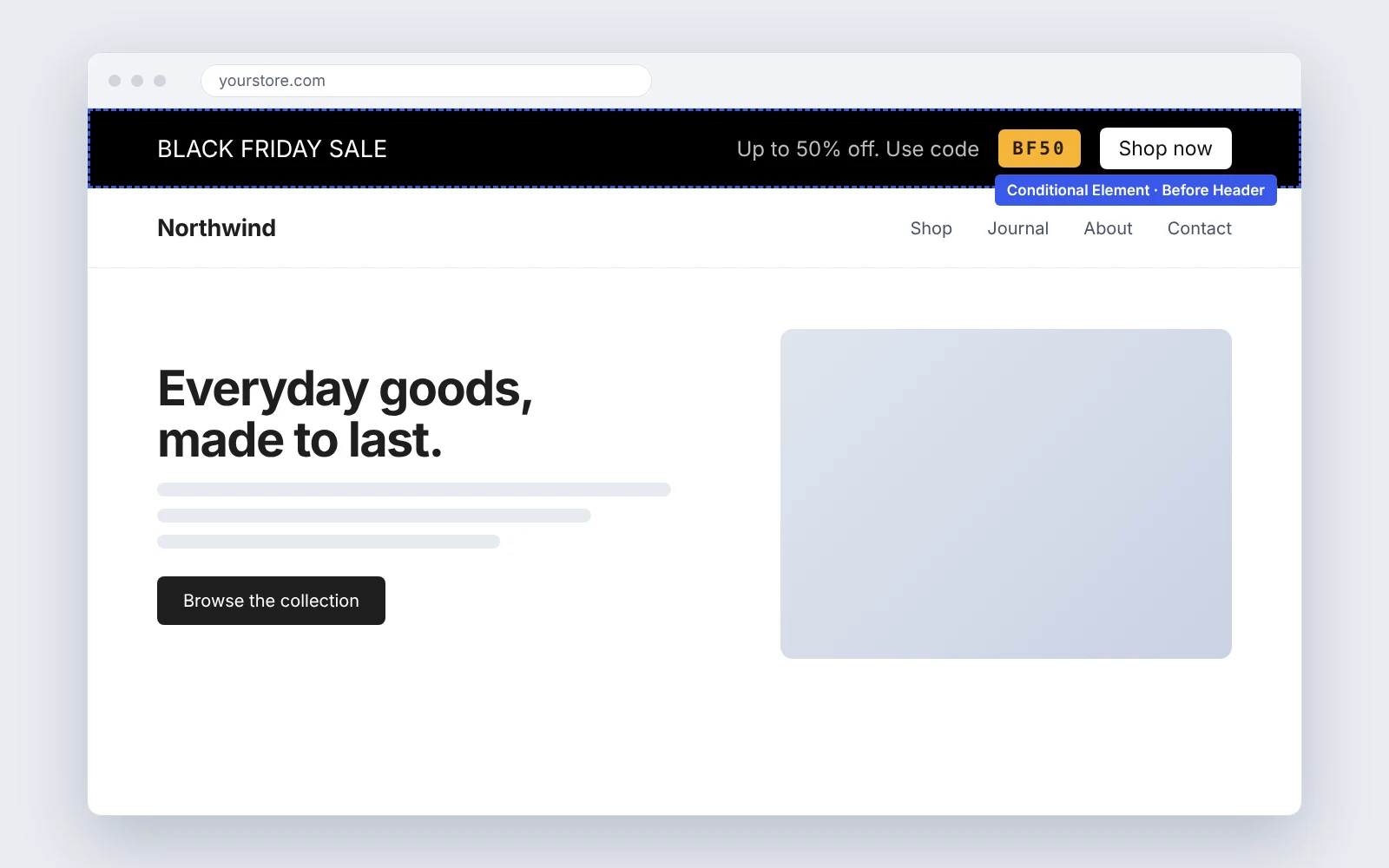
Adding content to a specific spot shouldn’t mean editing theme files.
Whether it’s a banner, a signup form, a notice or a promo, putting content in one exact spot usually means editing template files or pasting PHP into functions.php, then redoing it when the theme changes. Conditional Elements moves that job into the block editor you already use. If you can build it with blocks, you can place it.
WITHOUT IT
Edit theme templates or hook callbacks in code. Wrap output in role and device checks by hand.
WITH CONDITIONAL ELEMENTS
Write the content with blocks. Pick a placement. Set include, exclude, role and device rules in a settings panel.
FOR DEVELOPERS TOO
Target any action hook, or render an element anywhere with a shortcode.
How it works
Three steps from idea to live content.
Step 1
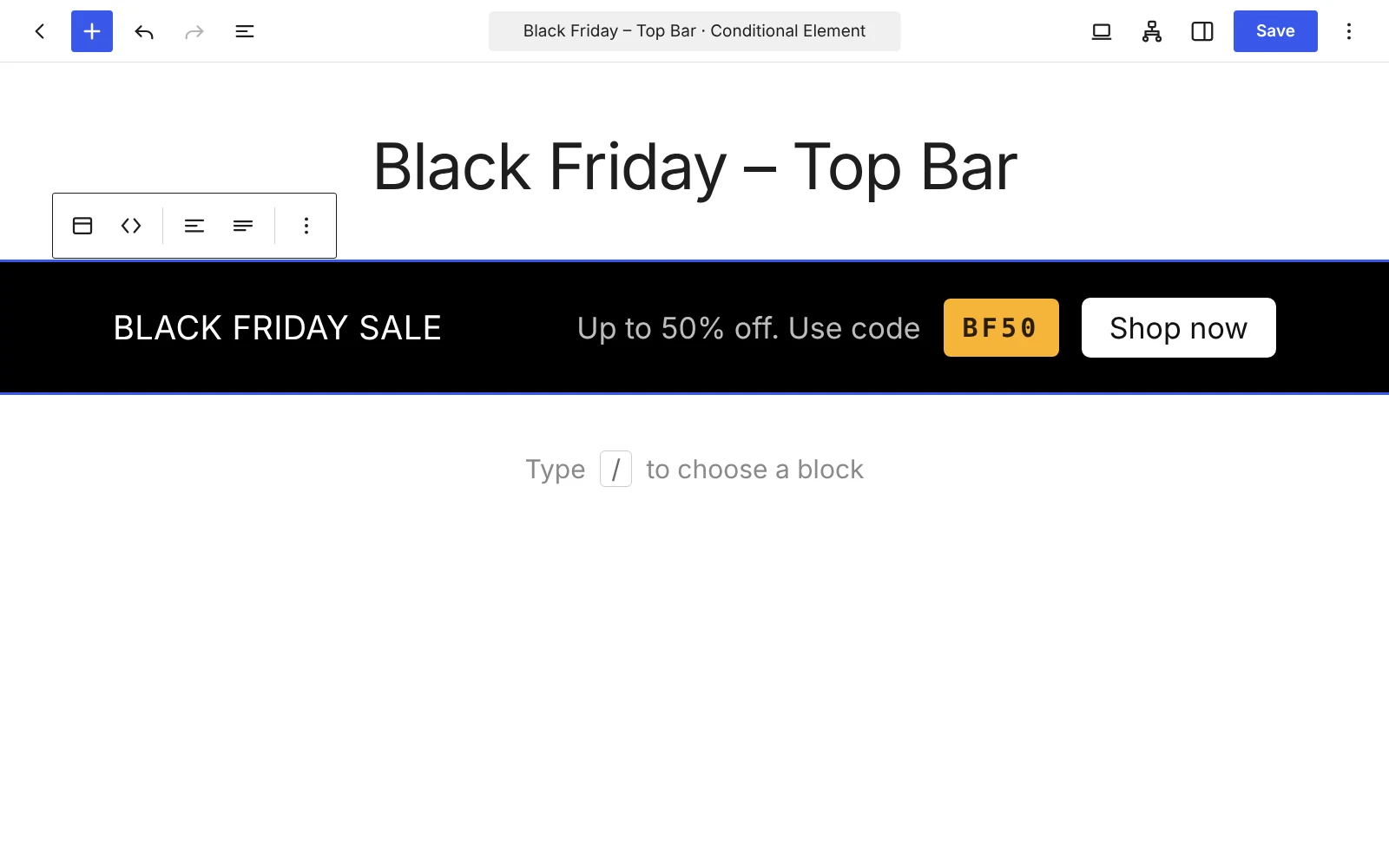
Build it with blocks
Create a Conditional Element and write the content in the familiar block editor. Headings, buttons, images, patterns: whatever your site already supports.
Step 2
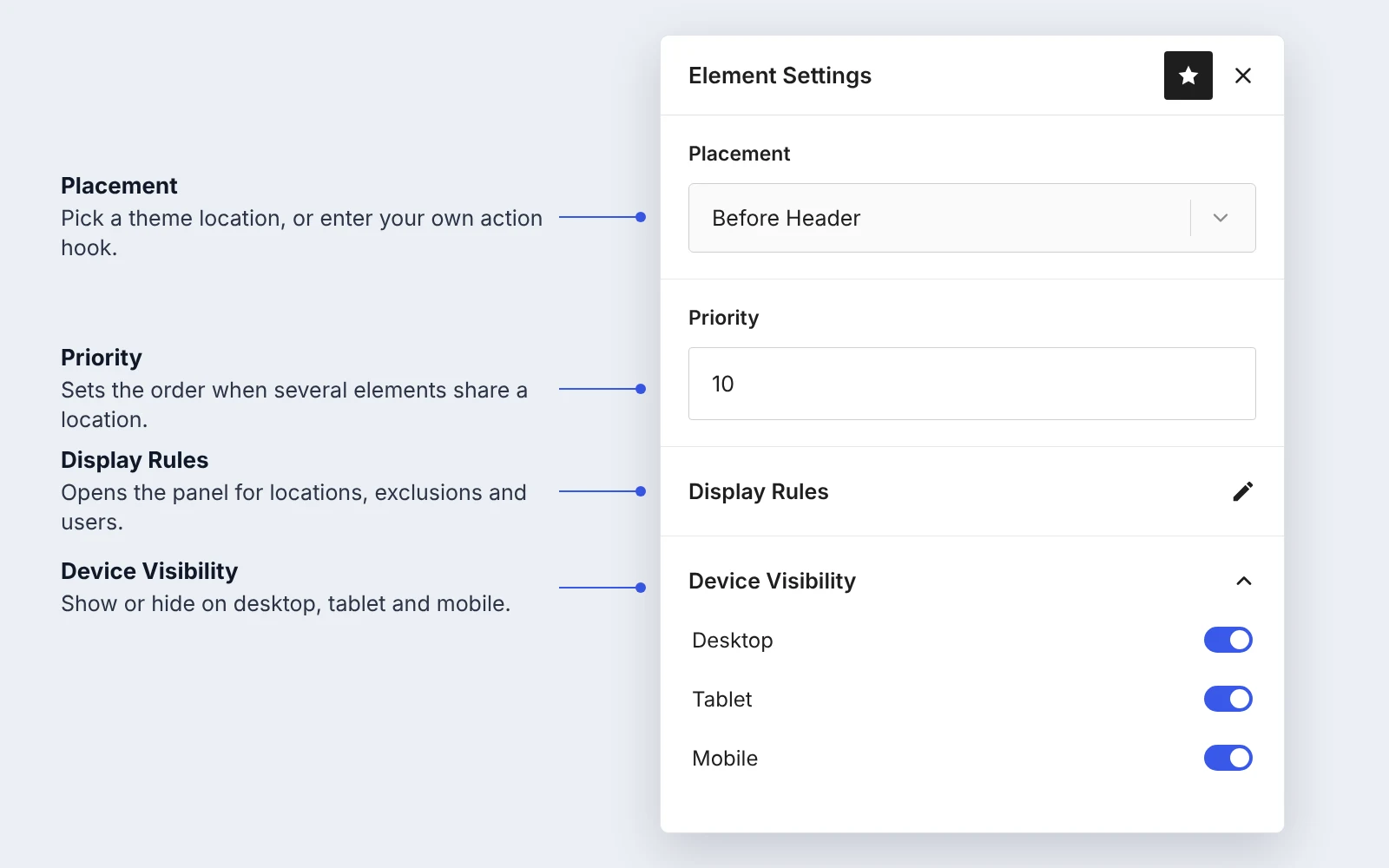
Choose where it appears
Pick a placement such as before the header or after the content, and set a priority. Options adapt to your active theme. Need something specific? Enter your own action hook.
Works with block themes and Astra, Kadence, GeneratePress, Neve and OceanWP. On any other theme, enter your own action hook.
Step 3
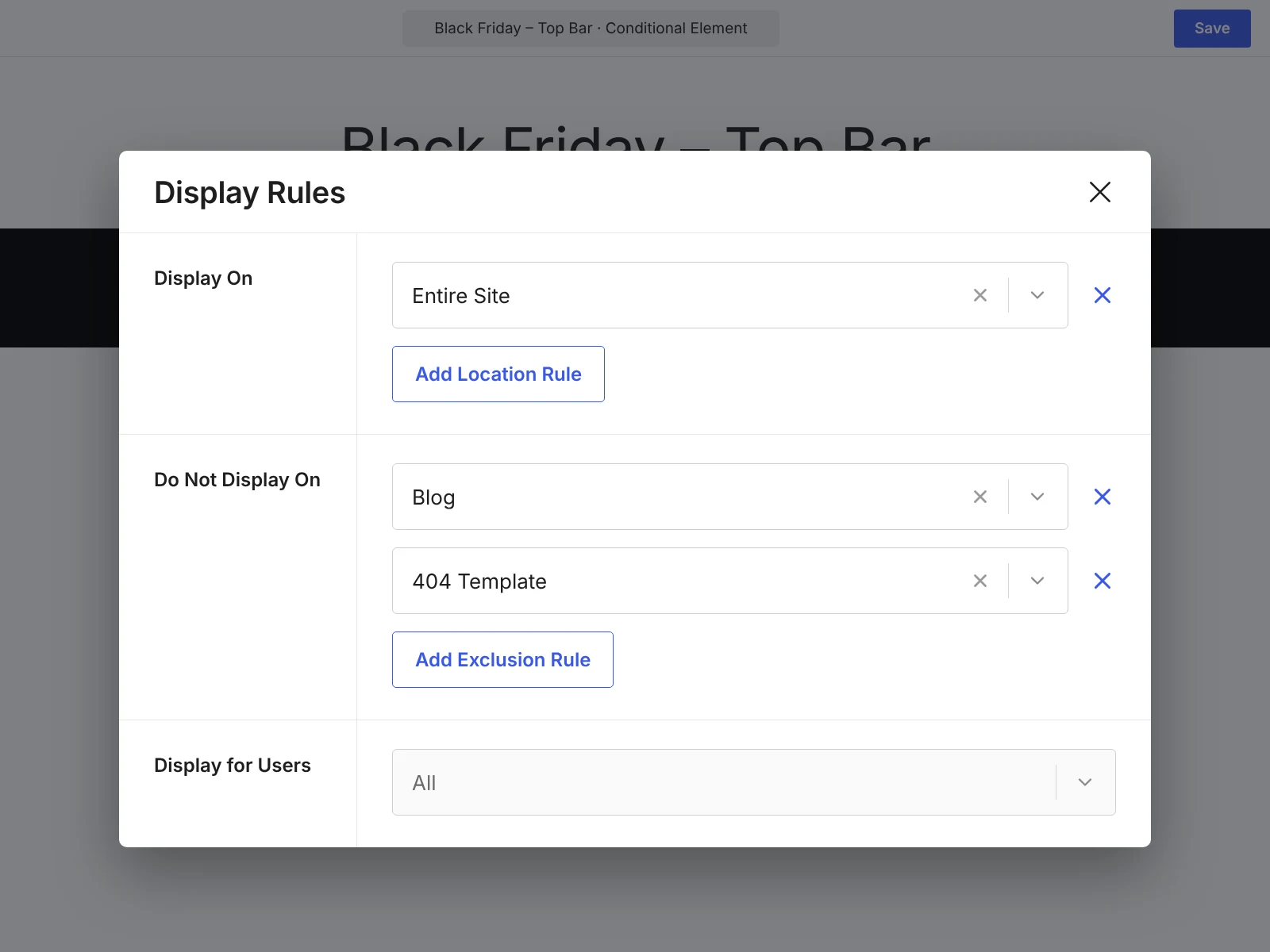
Set the display rules
Include or exclude locations, then narrow by user role and device. Publish, and the element shows only when the rules match.
Prefer to place it by hand? Copy the shortcode from the list table.
What you can control
Six things, done plainly.
Flexible placement
Add content before or after supported locations, from the site wrapper to the footer.
Include and exclude
Show content where it belongs and keep it off the pages where it doesn’t.
User role conditions
Show content where it belongs and keep it off the pages where it doesn’t.
Device visibility
Show or hide content on desktop, tablet or mobile.
Custom hooks
Attach an element to any WordPress action hook, including your own.
Shortcodes
Render an element inside posts, pages, templates and widgets. Conditions apply by default.
Built for developers, usable by everyone
Every element gets a shortcode you can copy from the list table. Add bypass_conditions when you want to render it without the rules.
The source is open and included in the plugin, written in TypeScript, React and SCSS.
RESPECTS THE ELEMENT’S CONDITIONS
IGNORES THE CONDITIONS
Try it on your site
Take a look in the live preview first, or install it from the WordPress plugin directory and publish your first element.
Install from WordPress.orgTry Live PreviewQuestions or ideas? Visit the support forum on WordPress.org.